Facility Operators
Give your facilities team one reliable place to find equipment locations, identifiers, photos and documentation.
GLAR connects installed assets to your floorplans, making the information needed for maintenance and troubleshooting easier to access.
Schedule a walkthrough
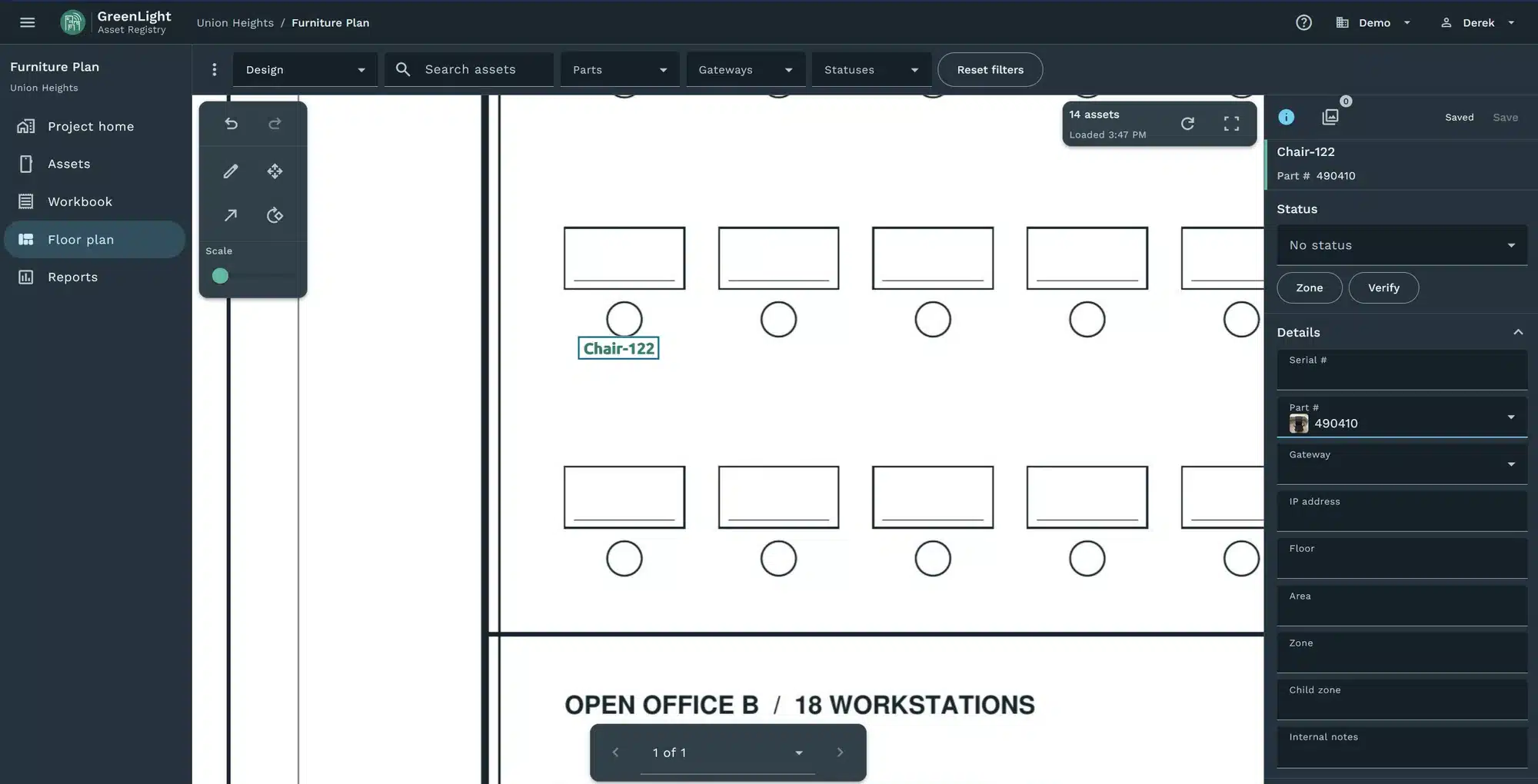
Drawings, spreadsheets, manuals and contractor handover files rarely tell the whole story in one place. When equipment needs service, teams waste time identifying the asset, locating it and finding the right documentation.
GLAR brings those records together in a searchable, floorplan-linked asset registry that is straightforward to build and easy to use.
Keep asset records, locations, equipment identifiers, photos and supporting documentation organized in a central repository. Whether a technician is responding to a service issue or planning a replacement, the team can start with the same accessible source of asset information.
Export structured records for reporting or use with existing maintenance and asset management systems.


Where useful, apply QR codes, barcodes or RFID tags to equipment during an audit or documentation project. Tagging can help teams identify an asset in the field and associate it with the correct digital record, reducing guesswork when similar equipment is installed throughout a building.
Tagging is optional. Teams can also find assets through floorplans, searches and existing equipment identifiers.
HVAC
Lighting
IT and network
AV
Security
Furniture
1
Upload existing inventories and floorplans or create asset records as you go.
2
Add identifiers, photos, documentation and optional tags; associate each asset with its floorplan location.
3
Search the registry and export structured information for maintenance reference, planning and other systems.
Standardize equipment information as trades install it. Collect asset identifiers and supporting records during delivery so the facilities team receives usable, organized information at handover.
Start with spreadsheets and existing documentation, then fill gaps through field audits. Add equipment records, locations, photos and optional physical tags as needed.
See where equipment is installed directly on building floorplans.
Access available model and serial numbers, network identifiers, photos, manuals and other supporting documents in one place.
Give maintenance staff and service vendors a consistent reference for troubleshooting, replacement planning and upgrades. Read what missing device records cost during a repair.
Schedule a walkthrough
From a single facility to a larger portfolio, GLAR makes it easier to organize asset information and keep it accessible for the people responsible for the building.
This site is protected by reCAPTCHA and the Google Privacy Policy and Terms of Service apply.
